


NBC Sports
3.649.88K Reviews
App Specs
- Version
- 9.29.0
- Updated On
- License
- Free
- Downloads
- 10,000,000+
- Developer
- NBCUniversal Media, LLC
- Categories
- Sports
- Platform
- Android, iOS
Screenshots
 Analysis by AppCompare
I tend to judge a sports app by what happens when I open it with a game already underway, not by how polished its menus look. NBC Sports is most useful when it helps me find the event I came for quickly, then gives me a way to keep up if I cannot watch every minute. It is a free sports app from NBCUniversal Media, LLC, and its focus reaches beyond live games to television episodes and major international competition. That breadth is appealing, though it also means the experience is best when you already know what you want to follow.
Where the experience can snag
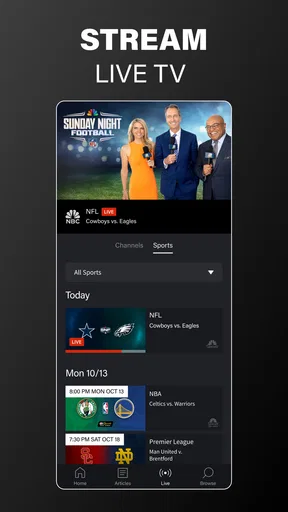
The first practical question is whether the event you want is actually available to watch in the app at that moment. A sports app can show a busy schedule and still leave you hunting for the right event, so I would start by checking the live and upcoming listings rather than assuming that opening the app will immediately put a particular match on screen. This is especially useful on a crowded sports weekend, when several events may compete for attention.
Live viewing also asks more of a phone than checking a score or reading a short update. A weak or changing connection can interrupt the stream, and watching on mobile data may be less comfortable than using a reliable Wi-Fi connection. I would treat the app as a convenient way to follow an event, not as a guarantee that every viewing situation will feel like a television setup. If smooth viewing matters most, choose a stable place to watch before the event begins.
Another point worth keeping in mind is that a broad sports destination may not feel equally useful to every fan. If you mainly follow one team in a league whose coverage is elsewhere, the app may be an occasional companion rather than your daily home for sports. Its appeal is strongest for viewers who have a reason to check NBC’s live programming, catch up with highlights, or browse its related sports coverage.
Checks that make a better first session
Before relying on it for a live event, I would install the current release, confirm that the device’s software meets the app’s requirements, and open the app early enough to get oriented. The current version is 9.25.3, and it supports devices running Android 7.0 or later. The app is also available for iOS, so it can suit households where people use different phone platforms, although each device still needs to meet its own compatibility requirements.
Then I would look through the event listings and decide what I want to watch or follow. If alerts are part of your routine, set them up with a purpose: choosing a few teams or events you genuinely care about is more useful than turning on every possible notification. That small bit of setup makes the busy sports calendar easier to manage and helps alerts feel like reminders rather than noise.
If something does not appear to load, I would first check the basics: whether the connection is working, whether other content opens, and whether the app is current. Closing and reopening it, then trying again on a steadier connection, is a sensible first step. If only one event is affected, checking the listings again can help distinguish a broad app problem from an event-specific availability issue.
Worth Reading Before You Choose

EA SPORTS FC Mobile 26 Is a Bigger Football Game, but It Takes Time

Flipboard Shows What News Apps Must Do Beyond the Feed

Switching to Android Auto Means Rethinking Your Driving Routine

Google Calendar Makes a Crowded Week Easier to Manage

Ludo King Makes the Most of the Minutes Between Plans

Baby Panda World Brings Quick Play to Modern Phones, but Its Game Library Feels Busy
Recovering your routine when a stream fails
When a live stream stops behaving, I would avoid repeatedly tapping around without a plan. First, give the connection a moment and see whether other pages in the app respond. If they do, return to the event listing and reopen the stream once. If the whole app seems stuck, close it and launch it again; if that does not help, restart the device and retry. These are simple checks, but they can tell you whether the trouble is limited to one viewing session or is happening more broadly.
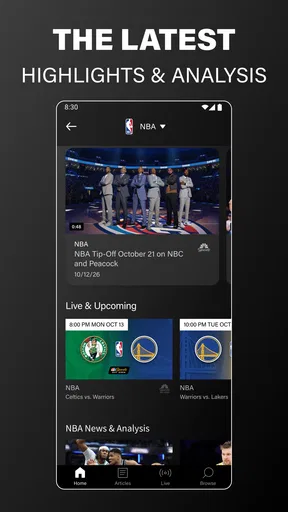
If you have missed part of the action, highlights can make the app useful again without forcing you to spend time reconstructing everything from a full replay. I would use them as a catch-up option when I have a short break, while being cautious about social feeds or notifications if I want to avoid learning the result first. For an event I care about deeply, I would also open the app before it starts, rather than making the first launch of the day happen at the exact moment the action begins.
When another tool may be the better fit
It helps to separate app trouble from ordinary viewing constraints. A stream that stutters in one room but works better on a reliable connection elsewhere may point to the network or location, rather than a broken app. Likewise, if the event you want is not among the available listings, repeatedly reinstalling the app is unlikely to solve the underlying issue. Checking the schedule and trying again later is more practical than treating every missing or interrupted event as a device fault.
Compared with a general sports-news app, NBC Sports is more appealing when watching live programming is your priority; a news-first alternative may be better for quick scores, broad league coverage, or written updates across teams. Compared with a television service you already use, the app can be a handy mobile option, but it should not automatically be treated as a replacement for that service. I would choose it for NBC-focused viewing and use another source when my main need is wider coverage or a fast, text-only score check.
Who will get the most from it
This app makes the most sense for someone who follows events carried through NBC Sports and wants one place to check live programming, highlights, and related video. It can also suit a fan whose schedule is unpredictable: you might begin watching at home, check an alert while away, then catch a key sequence later when time allows. The key advantage is not that it removes every inconvenience of sports viewing; it gives you more than one way to stay connected to the action.
For example, imagine you have a free window during a weekend afternoon but need to leave before an event ends. I would use the event listing to find the live option, watch while I can, and return to highlights later rather than trying to keep a stream open while doing something else. If several events overlap, alerts for only the ones that matter most can help you choose where to spend your attention. That is a more realistic way to use a sports app than expecting to watch everything from start to finish.
Fans who want a neutral, all-sports hub may prefer a service built around broad scoreboards and coverage from many providers. The same goes for someone who rarely watches video and only wants a quick result: a lightweight score-focused app can be faster for that narrow job. NBC Sports is most compelling when its specific programming matches your interests, not simply because you enjoy sports in general.
The Ultimate Sports Companion
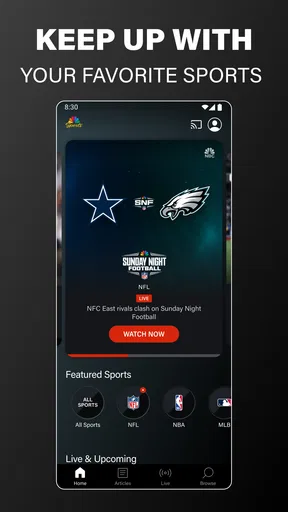
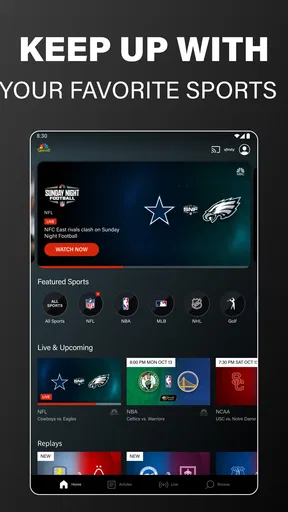
The NBC Sports app is like having a sports bar in your pocket. Imagine having access to live streams, highlights, and exclusive content all in one place. When I first opened the app, I was greeted with a sleek, easy-to-navigate interface. It’s like the developers knew exactly what I wanted before I even did. The home screen showcases a list of live and upcoming events, making it super easy to jump into the action.
Live Streaming and Highlights
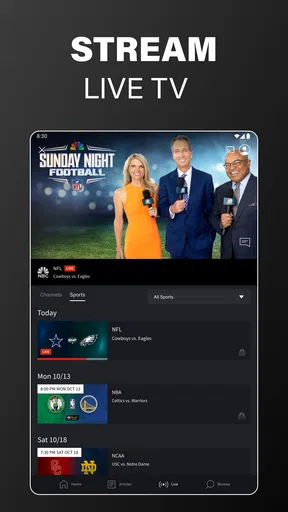
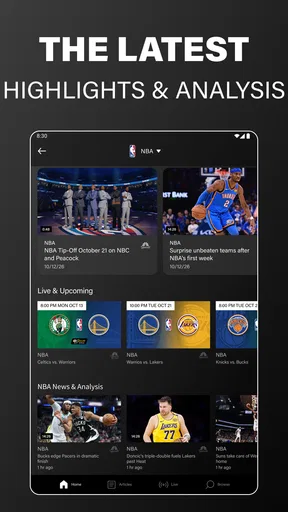
One of the standout features has to be the live streaming. Whether you're chilling at home or out and about, you can catch your favorite games live. The streaming quality is top-notch, and I experienced minimal buffering, which is a huge win in my book. And for those moments when life gets in the way, the highlights section is a lifesaver. I can catch up on key plays and game-defining moments without any spoilers.
Exclusive Content and Analysis
For those who love a deep dive into sports analysis, the app doesn’t disappoint. There are exclusive interviews, expert opinions, and in-depth analysis that give you a fresh perspective on your favorite teams and players. It's like having a sports analyst right there with you.
The mix of live action and supporting video gives the app a different rhythm from a scoreboard-first service. I would use it when I have time to watch, then switch to short highlights when I only have a few minutes. That distinction matters: highlights are convenient for catching important moments, but they are not the same as following the full build-up, context, or flow of a match. If those details are why you watch, make room for the live event rather than relying on a recap.
Personalization and Alerts
What’s even cooler is how personalized the experience can be. You can set alerts for your favorite teams and never miss a beat. Whether it's a goal, touchdown, or match start, the app makes sure you’re always in the loop. I found this feature particularly handy during the busy weekends when multiple games were on at once.
For a less distracting setup, I would treat alerts as a filter for my own attention. Pick the teams or events you are most likely to act on, then leave the rest to the listings. If every alert feels urgent, the feature loses its value; a small, deliberate selection can make it easier to decide whether to open the app or keep doing what you are doing.
User-Friendly and Accessible
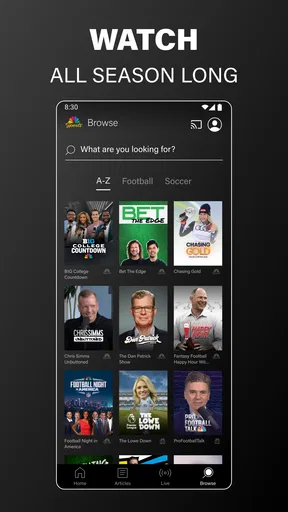
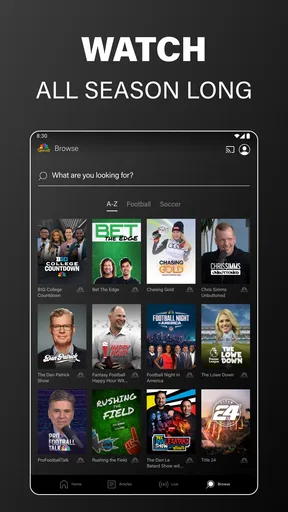
Let's talk usability. The app is designed with the user in mind, making it easy to find what you’re looking for with just a few taps. The navigation is intuitive, and I love how the menus are organized. Whether you're tech-savvy or a novice, getting around the app is a breeze.
My practical advice is to get familiar with the path from the home screen to the event you care about before a high-stakes match begins. That is a small time-saving habit, especially if you are opening the app while distracted or on a short break. It also gives you a chance to notice whether you are looking at a live event, a highlight, or another video item before committing your attention.
Compatibility and Device Support
Available on both Android and iOS, the app plays nicely with a wide range of devices. Whether you’re on your phone or tablet, the experience is seamless. I tested it on a couple of devices, and everything worked like a charm.
It is rated for Everyone, has been available since July 12, 2012, and remains free to install. Its average rating is 3.6 from around 108,000 ratings, alongside roughly 50,000 written reviews, and it has passed 10 million installs. Those figures suggest a well-established audience, but they are not a promise that every viewer will have the same experience; connection quality, device compatibility, and whether the available programming suits you still matter more to an individual viewing session.
The 2026 Olympic and Paralympic Games are also part of the app’s stated viewing focus, alongside NBC television episodes. That makes it potentially useful beyond a single league or season, particularly for viewers who want to check the app when a major event is on. I would still approach it as a destination for programming that fits its lineup, rather than assuming it replaces every broadcaster or sports source I use.
Final Thoughts
In a nutshell, if you’re a sports fan, the NBC Sports app is a must-have. It's packed with features that cater to both casual viewers and hardcore fans. With its comprehensive coverage and user-friendly design, it transforms how you engage with sports. So, whether you want to catch a live game or just the highlights, this app has got you covered. Trust me; you’ll wonder how you ever watched sports without it.
My more measured recommendation is to try it if NBC’s sports programming lines up with the events you follow, especially if you value the option to move between live viewing and catch-up clips. I would not make it my only sports app if I needed broad, provider-neutral coverage or mainly wanted instant scores. The free entry point makes it easy to explore, but the best reason to keep it is simple: it reliably fits into the way you already follow the events available through it.
Pros
- Wide range of sports coverage available.
- User-friendly interface for easy navigation.
- Live streaming with minimal buffering.
- High-quality video and audio streams.
- Customizable alerts for favorite teams.
Cons
- Requires a stable internet connection.
- Some content requires a subscription.
- Limited international sports coverage.
- Occasional ad interruptions during streaming.
- Certain features can be overwhelming for new users.
FAQs for NBC Sports
What platforms is the NBC Sports app available on?
The NBC Sports app is available on both Android and iOS platforms, making it accessible for a wide range of devices including smartphones and tablets. Additionally, it can be used on select smart TVs and streaming devices, ensuring users can enjoy sports content on the screen of their choice.
Do I need a cable subscription to use the NBC Sports app?
Yes, to access live streaming and full episodes on the NBC Sports app, a cable or satellite subscription is typically required. However, some highlights, replays, and clips may be available without a subscription. It's advisable to check the app for specific content availability.
What types of sports can I watch on the NBC Sports app?
The NBC Sports app covers a wide array of sports including football, basketball, soccer, hockey, golf, and more. It also features major events like the NFL Playoffs, the Olympics, Premier League matches, and exclusive coverage of other popular sports events, providing a comprehensive viewing experience.
How do I troubleshoot streaming issues on the NBC Sports app?
If you encounter streaming issues on the NBC Sports app, first ensure that your device is connected to a stable internet connection. Restarting the app or device can also help. If problems persist, updating the app to the latest version or checking the NBC Sports website for service updates may resolve the issue.
Can I watch NBC Sports content offline?
Currently, the NBC Sports app does not support offline viewing. All content is streamed live or on-demand, requiring an active internet connection. For users wanting to watch without interruptions, ensuring a stable and fast internet connection is crucial when using the app.


